
×
Bidding has ended on this item.
This Auction Uses Proxy Bidding.
Ended
- Winning Bid: $7.00
- 7 Bid(s) View Bid History
- High Bidder: Mamoud
Seller - BidBid-Inc
Payment Options
Seller Accepts Credit Cards
Seller Accepts Cash
Lot # C10M37456
System ID # 1108768
Start Date
End Date
1 Watching
Description
Pickup Location: Montreal
Notes: Produit neuf jamais utilis
In Packaging?: Yes
Functional: Yes
Assembly Required?: No
Damaged?: No
Missing Parts?: No
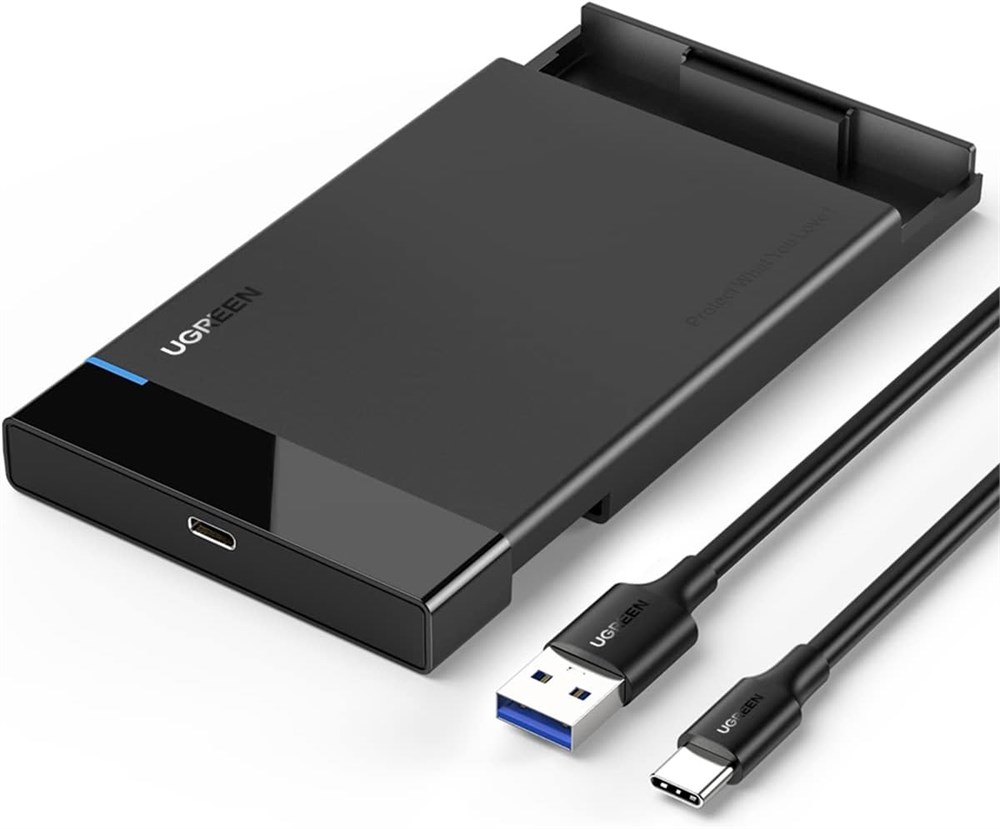
6Gbps High Sync Speed with USB 3.1 UASP: Support UASP accelerated transmission protocol, this speedy hard drive enclosure provides data transfer speed up to 6Gbps, 1.2X faster than traditional USB 3.0. Less time to await, More time to play. Backward compatible with USB 3.0 and USB 2.0 ports 2.5 Inch Hard Drive Enclosure: UGREEN external hard drive case helps to connect your 2.5-inch hard drive to a PC, laptop, and other devices, which also makes it easy to transfer or clone from your old HDD to SSD. This SSD enclosure supports up to 6TB capacity, perfect for backup Easy and Simple: Tool-free, just slide open the hard drive enclosure and simply push the SSD into place, then you can get a portable external drive. Plug and Play Protect Your SSD HDD from Damage: Equipped with soft EVA foams inside, this hard drive enclosure firmly holds the 2.5-inch SATA SSD HDD in place, keeping it from improper shaking and scratches Universal Compatibility: UGREEN high-speed hard drive enclosure is compatible with most 2.5 inches 7 mm and 9.5mm SATA SSD and HDD (up to 6 TB), such as Western Digital, Toshiba HDD or SSD with SATA port. Use this disk caddy to quickly connect your hard drive to PC, laptop, PS4, X box One, etc. Support Windows 10/8/7/Vista, LINUX, Mac OS 8.0, and above systems. Note: when finish using your HDD SSD, please click the "Safely Remove Hardware" icon on your PC first then unplug it to avoid data loss.
In Packaging?: Yes
Functional: Yes
Assembly Required?: No
Damaged?: No
Missing Parts?: No
6Gbps High Sync Speed with USB 3.1 UASP: Support UASP accelerated transmission protocol, this speedy hard drive enclosure provides data transfer speed up to 6Gbps, 1.2X faster than traditional USB 3.0. Less time to await, More time to play. Backward compatible with USB 3.0 and USB 2.0 ports 2.5 Inch Hard Drive Enclosure: UGREEN external hard drive case helps to connect your 2.5-inch hard drive to a PC, laptop, and other devices, which also makes it easy to transfer or clone from your old HDD to SSD. This SSD enclosure supports up to 6TB capacity, perfect for backup Easy and Simple: Tool-free, just slide open the hard drive enclosure and simply push the SSD into place, then you can get a portable external drive. Plug and Play Protect Your SSD HDD from Damage: Equipped with soft EVA foams inside, this hard drive enclosure firmly holds the 2.5-inch SATA SSD HDD in place, keeping it from improper shaking and scratches Universal Compatibility: UGREEN high-speed hard drive enclosure is compatible with most 2.5 inches 7 mm and 9.5mm SATA SSD and HDD (up to 6 TB), such as Western Digital, Toshiba HDD or SSD with SATA port. Use this disk caddy to quickly connect your hard drive to PC, laptop, PS4, X box One, etc. Support Windows 10/8/7/Vista, LINUX, Mac OS 8.0, and above systems. Note: when finish using your HDD SSD, please click the "Safely Remove Hardware" icon on your PC first then unplug it to avoid data loss.