
×
Bidding has ended on this item.
This Auction Uses Proxy Bidding.
Ended
- Winning Bid: $71.00
- 74 Bid(s) View Bid History
- High Bidder: samax95
Condition
LikeNewExcellent
MSRP
$217.95
Product_Link
Shipping
PickUpOnly
Location
Toronto
Seller - KrazyDealz
Lot # 735T496046
System ID # 2192976
Start Date
End Date
4 Watching
Description
Location: Toronto
Notes: Tested and functional Note: i didn t try practically but it s turning on and showing data on the display.
In Packaging?: Yes
Functional: Yes
Assembly Required?: No
Damaged?: No
Missing Parts?: No
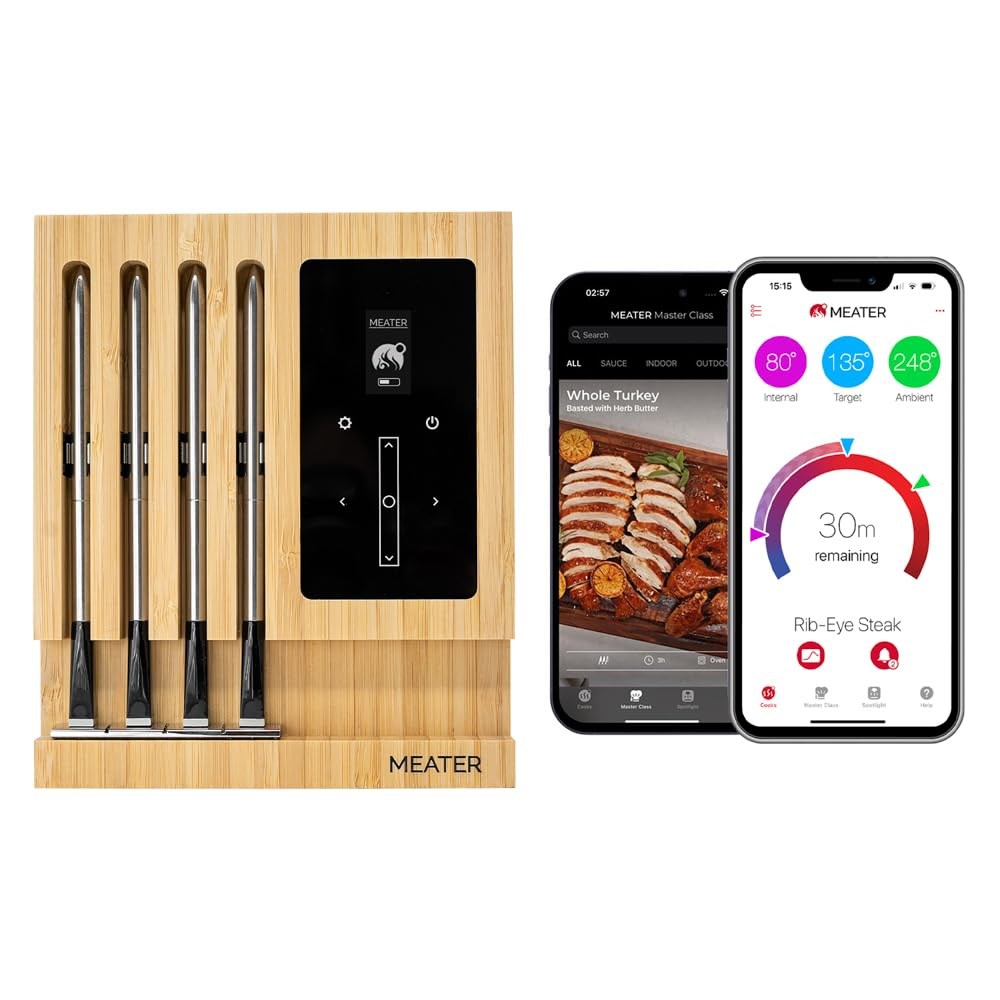
Cook with Confidence: With the MEATER Block, get access to the free MEATER app and the Guided Cook System that provides step-by-step instructions, real-time alerts, and estimated finish times, taking the guesswork out of cooking. Convenient Power Source: MEATER Block features a Micro-USB port, which allows you to power it without the need for AA batteries great for long cooks, ensuring you're always ready to cook. No calibration or maintenance required. Multi-Meat Mastery: With four probes, MEATER Block allows you to cook different meats at various temperatures simultaneously, catering to everyone's preferences. Built-in WiFi Connectivity: With a built-in 165ft WiFi repeater, MEATER Block extends range over your home network, enabling you to monitor your cook without being tethered to your kitchen. Setup takes just minutes through the MEATER app, ensuring reliable temperature monitoring. Make sure you MEATER app is up-to-date for the most recent firmware releases. iOS, versions 14 and later - Android, versions 8.0 and later. Standalone Mode: Cook without the use of your smartphone using MEATER Block's Standalone Mode, perfect for grilling and smoking with extended range. WiFi Connection: Your network needs to be using the 2.4GHz frequency. This can usually be checked in the list of available networks on the phone or tablet. Some networks have 2 available options. The 5Ghz band will typically specify "5G" after the network name, while the 2.4Ghz band may have "2G" or no specification at all. If there's only one option, it likely means you have a dual-band router, in which case your MEATER device will automatically connect to the 2.4Ghz band. Your network has to be unhidden. LAN to WLAN Multicast and Broadcast must be enabled. If your router router supports Airtime Fairness, this feature needs to be disabled. Reliable Bluetooth Pairing Between Block & Probes: MEATER probes pair directly to the Block via Bluetooth, not your phone. For the strongest connection, keep the Block close to your grill, oven, or smoker, as WiFi does not extend Bluetooth range. If the Block is too far from the cooking device, the probes may disconnect. Make sure to place it nearby to ensure accurate temps and uninterrupted monitoring.
In Packaging?: Yes
Functional: Yes
Assembly Required?: No
Damaged?: No
Missing Parts?: No
Cook with Confidence: With the MEATER Block, get access to the free MEATER app and the Guided Cook System that provides step-by-step instructions, real-time alerts, and estimated finish times, taking the guesswork out of cooking. Convenient Power Source: MEATER Block features a Micro-USB port, which allows you to power it without the need for AA batteries great for long cooks, ensuring you're always ready to cook. No calibration or maintenance required. Multi-Meat Mastery: With four probes, MEATER Block allows you to cook different meats at various temperatures simultaneously, catering to everyone's preferences. Built-in WiFi Connectivity: With a built-in 165ft WiFi repeater, MEATER Block extends range over your home network, enabling you to monitor your cook without being tethered to your kitchen. Setup takes just minutes through the MEATER app, ensuring reliable temperature monitoring. Make sure you MEATER app is up-to-date for the most recent firmware releases. iOS, versions 14 and later - Android, versions 8.0 and later. Standalone Mode: Cook without the use of your smartphone using MEATER Block's Standalone Mode, perfect for grilling and smoking with extended range. WiFi Connection: Your network needs to be using the 2.4GHz frequency. This can usually be checked in the list of available networks on the phone or tablet. Some networks have 2 available options. The 5Ghz band will typically specify "5G" after the network name, while the 2.4Ghz band may have "2G" or no specification at all. If there's only one option, it likely means you have a dual-band router, in which case your MEATER device will automatically connect to the 2.4Ghz band. Your network has to be unhidden. LAN to WLAN Multicast and Broadcast must be enabled. If your router router supports Airtime Fairness, this feature needs to be disabled. Reliable Bluetooth Pairing Between Block & Probes: MEATER probes pair directly to the Block via Bluetooth, not your phone. For the strongest connection, keep the Block close to your grill, oven, or smoker, as WiFi does not extend Bluetooth range. If the Block is too far from the cooking device, the probes may disconnect. Make sure to place it nearby to ensure accurate temps and uninterrupted monitoring.