
×
Bidding has ended on this item.
This Auction Uses Proxy Bidding.
Ended
- Winning Bid: $3.00
- 3 Bid(s) View Bid History
- High Bidder: Dansan
Seller - Mycanadianstock
Payment Options
Seller Accepts Credit Cards
Lot # 528T2625
System ID # 4315501
Start Date
End Date
1 Watching
Description
Location: Toronto
Notes: Tested and functional
In Packaging?: Yes
Functional: Yes
Assembly Required?: No
Damaged?: No
Missing Parts?: No
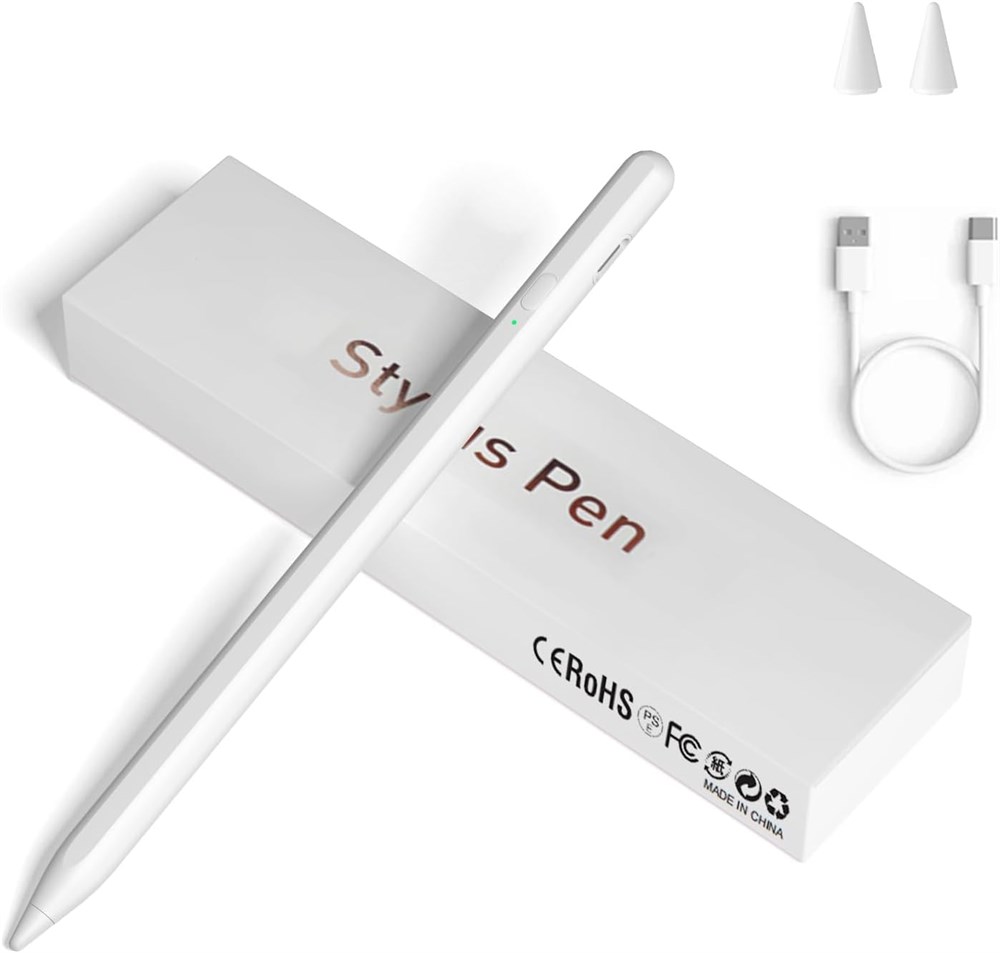
Universal Stylus Pen Our stylus pens for touch screens have broad compatibility and works seamlessly with iPhone, iPad, Android devices, tablets, Samsung Galaxy and most capacitive touchscreen devices. You can enjoy a versatile digital experience.Note: This stylus does not have a function to prevent accidental touches. One Touch Switch Experience easy and comfortable control with the one-touch switch design. Save time and realize quick creativity by turning your iPad pen on or off with just one touch Magnetic Adsorption Design The iPad pencil with an authentic magnetic design that securely attaches to the side of your iPad.This innovative feature ensures that your stylus stays within reach and prevents it from getting lost! Note: Only support iPad Pro11"& iPad Pro12.9"(3th/4th Gen) Accuracy & Sensitivity This stylus pen for iPad works without delay or lag, won't damage the screen, and comes with 2 complimentary nibs, giving you more options for a more precise writing and drawing experience Quick Charge The iPad pen can be fully charged in just 40 minutes and can be used continuously for 9-10 hours. Keep your creative juices flowing without worrying about charging, it won't affect your creativity! Note If it does not work after powering on, please follow the steps below: 1. Visit Settings > Bluetooth > Turn off Bluetooth. 2. Visit Bluetooth > Bluetooth > Apple pencil > Click > Forget This Device.
In Packaging?: Yes
Functional: Yes
Assembly Required?: No
Damaged?: No
Missing Parts?: No
Universal Stylus Pen Our stylus pens for touch screens have broad compatibility and works seamlessly with iPhone, iPad, Android devices, tablets, Samsung Galaxy and most capacitive touchscreen devices. You can enjoy a versatile digital experience.Note: This stylus does not have a function to prevent accidental touches. One Touch Switch Experience easy and comfortable control with the one-touch switch design. Save time and realize quick creativity by turning your iPad pen on or off with just one touch Magnetic Adsorption Design The iPad pencil with an authentic magnetic design that securely attaches to the side of your iPad.This innovative feature ensures that your stylus stays within reach and prevents it from getting lost! Note: Only support iPad Pro11"& iPad Pro12.9"(3th/4th Gen) Accuracy & Sensitivity This stylus pen for iPad works without delay or lag, won't damage the screen, and comes with 2 complimentary nibs, giving you more options for a more precise writing and drawing experience Quick Charge The iPad pen can be fully charged in just 40 minutes and can be used continuously for 9-10 hours. Keep your creative juices flowing without worrying about charging, it won't affect your creativity! Note If it does not work after powering on, please follow the steps below: 1. Visit Settings > Bluetooth > Turn off Bluetooth. 2. Visit Bluetooth > Bluetooth > Apple pencil > Click > Forget This Device.