
×
Bidding has ended on this item.
This Auction Uses Proxy Bidding.
Ended
- Winning Bid: $21.00
- 23 Bid(s) View Bid History
- High Bidder: chetan346
Seller - Mycanadianstock
Payment Options
Seller Accepts Credit Cards
Lot # 327M4205
System ID # 4567965
Start Date
End Date
1 Watching
Description
Location: Toronto
Notes: Checked
In Packaging?: Yes
Functional: Yes
Assembly Required?: No
Damaged?: No
Missing Parts?: No
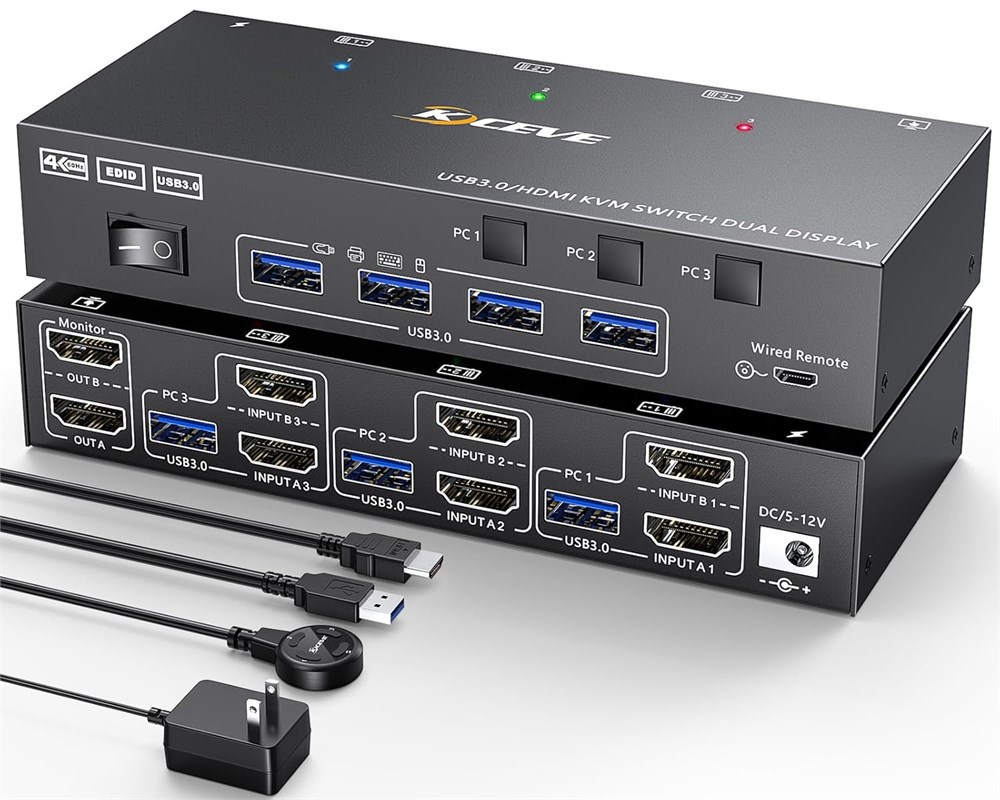
HDMI KVM Switch 3 Computers 2 Monitors This KVM switch dual monitor allows you to control 3 desktops or laptops by only one set of wired or wireless keyboard mouse, share 4 USB peripherals devices and 2 monitors. HDMI switch for dual monitor supports extended and mirrored display modes (Extended Mode: PC host outputs 2 different images on 2 monitors. Mirrored Mode: Computer host outputs 2 identical images on 2 monitors) Supports EDID Emulation The KVM 2 monitors 3 computers supports "EDID Emulation", It can mimic the monitor's EDID and remember the resolution and refresh rate. When you switch between 3 computers, the window's original position stays the same, with no need to wait for window adjustments, offering you a great office experience. Ultra HD 4K@60Hz This KVM 3 computers supports resolutions up to 4K60Hz with a built-in automatic adjustment system for more detailed and lifelike images, Backwards compatible with lower resolutions (e.g. 2K@120Hz,@144Hz) Tip: 4K@60Hz effect needs both computer and monitor to support 4K60Hz and please use HDMI 2.0 cables USB 3.0 HDMI KVM Switch This 2 monitors 3 computes KVM switch has four USB 3.0 ports data transfer rates of up to 5 Gbps and is backward compatible with USB 2.0 and USB 1.1 devices, allowing you to connect a variety of USB devices such as keyboards, mice, printers, scanners, etc. 2 Switching Mode Mode 1: By manually pressing the switching button on the KVM switch, the signal source can be quickly switched between different devices connected to the kvm switch 3pc display. Mode 2: The wireless controller allows you to switch computers at will, which allows you to hide the HDMI KVM switches and make your desktop more tidy.
In Packaging?: Yes
Functional: Yes
Assembly Required?: No
Damaged?: No
Missing Parts?: No
HDMI KVM Switch 3 Computers 2 Monitors This KVM switch dual monitor allows you to control 3 desktops or laptops by only one set of wired or wireless keyboard mouse, share 4 USB peripherals devices and 2 monitors. HDMI switch for dual monitor supports extended and mirrored display modes (Extended Mode: PC host outputs 2 different images on 2 monitors. Mirrored Mode: Computer host outputs 2 identical images on 2 monitors) Supports EDID Emulation The KVM 2 monitors 3 computers supports "EDID Emulation", It can mimic the monitor's EDID and remember the resolution and refresh rate. When you switch between 3 computers, the window's original position stays the same, with no need to wait for window adjustments, offering you a great office experience. Ultra HD 4K@60Hz This KVM 3 computers supports resolutions up to 4K60Hz with a built-in automatic adjustment system for more detailed and lifelike images, Backwards compatible with lower resolutions (e.g. 2K@120Hz,@144Hz) Tip: 4K@60Hz effect needs both computer and monitor to support 4K60Hz and please use HDMI 2.0 cables USB 3.0 HDMI KVM Switch This 2 monitors 3 computes KVM switch has four USB 3.0 ports data transfer rates of up to 5 Gbps and is backward compatible with USB 2.0 and USB 1.1 devices, allowing you to connect a variety of USB devices such as keyboards, mice, printers, scanners, etc. 2 Switching Mode Mode 1: By manually pressing the switching button on the KVM switch, the signal source can be quickly switched between different devices connected to the kvm switch 3pc display. Mode 2: The wireless controller allows you to switch computers at will, which allows you to hide the HDMI KVM switches and make your desktop more tidy.